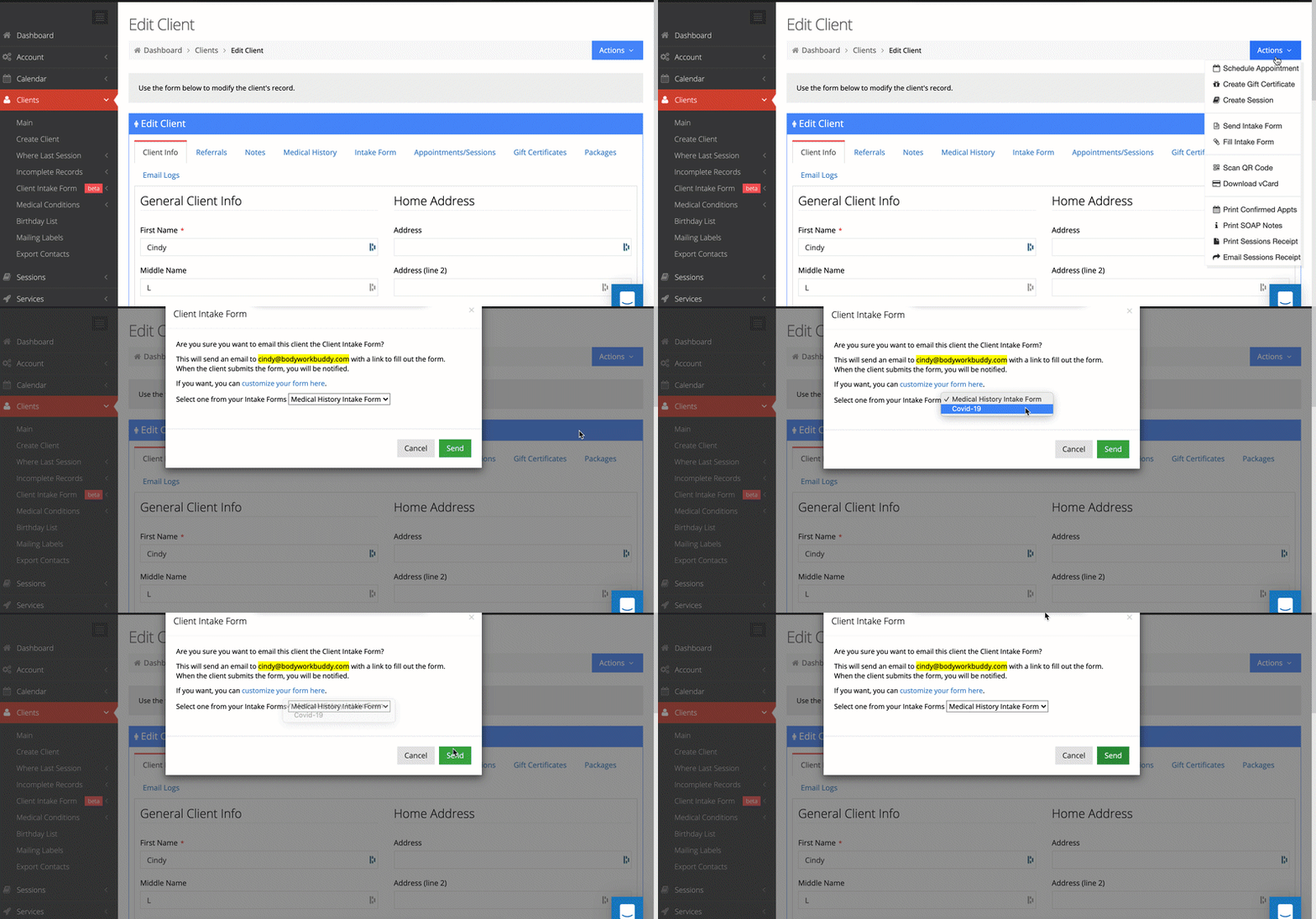
When you create a new confirmed appointment, there is an option to send an intake form. You can then choose which form from the 2 default forms or additional forms you have created in your account.
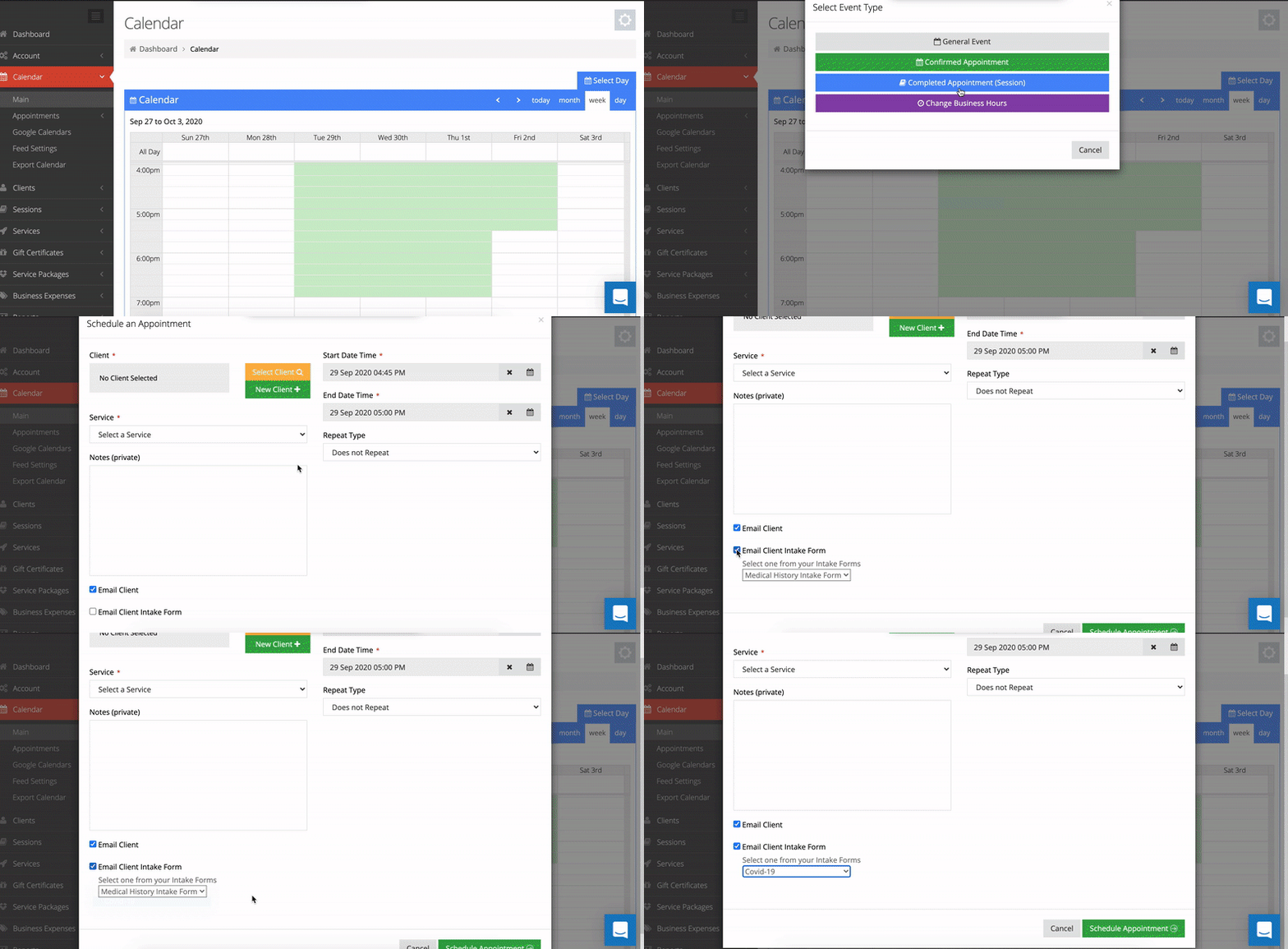
There is also this option when approving a requested appointment online from a client.
From within the client file, you can also send an intake form by clicking on the blue actions button > send intake form.